
Faster, Smarter Dictation Software with Dragon Support by Experts
Volume discount available
Windows desktop – perpetual
AUD inc GST – one time
Cloud Subscription
Per user year
Cloud Subscription
Local vocablary built in
Windows desktop – perpetual
AUD inc GST – student price


Cloud Based Multiple medical specialities. Any device anywhere Subscription.
Desktop perpetual License.Full offline use.Command and control.
Cloud Enterprise Deployment . Thin Client and Virtual Environments Subscription.
Cloud Legal Vocalblary built in Law Firm Deplyoment Subscription.
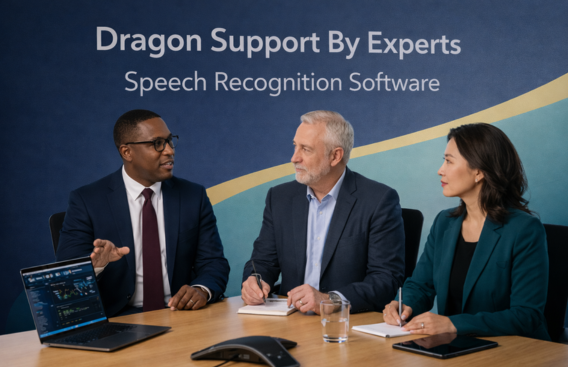
Choose dragon support by experts for reliable, efficient, and hassle-free assistance with your speech recognition software. Our experienced professionals are trained to handle everything from initial setup and installation to advanced troubleshooting and performance optimization. Whether you are facing issues with accuracy, microphone setup, commands not working, or software errors, our experts provide quick and effective solutions tailored to your needs.
We offer fast and secure remote support, allowing you to get your problems resolved without wasting time or dealing with complicated steps. Our goal is to ensure your Dragon software runs smoothly so you can focus on your work without interruptions. With our expert guidance, you can improve dictation accuracy, boost productivity, and enjoy a seamless, hands-free experience. Trust our team to deliver dependable support and get the best performance out of your Dragon software every time.
Yes, Dragon NaturallySpeaking was well worth the effort in terms of allowing me to write faster. I went back to Dragon a few weeks ago, confident that if I tried hard enough, I could improve my voice recognition accuracy. When my arm hurt, I utilized Dragon previously. The dragon was way too jumbled.
Dragon voice recognition software makes it easy for anyone to use a computer,” according to the company. It types while you speak. Create and edit documents and emails with your voice, launch applications, access files, operate your mouse, and more.
Dragon NaturallySpeaking 13 is the most advanced version of Dragon to date. The one exception is that you should always acquire the most recent version of Dragon that you can afford and avoid Dragon NaturallySpeaking 11 or 11.5. A new UI and voice model was implemented in version 11.
Because I can talk faster than I can write or type, Dragon cuts the time it takes me to write by at least 40%. I’ve been using Dragon for almost ten years and it’s become the way I write. For me, returning to handwriting or using a keyboard is no longer an option. Dictating is simply a superior method.
In the Naturally Speaking window, select some text to begin reading (using the mouse, the keyboard, or a voice command). Then, in the Dragon Bar extras section, click the Read icon or say the phrase “Read That.”
For organizations and large businesses, Dragon NaturallySpeaking premium also has enterprise profile management. Finally, the Professional Edition allows you to save synced audio from your dictation in Microsoft Word or Dragon Pad as a separate file in addition to the transcribed text.
Yes, Dragon NaturallySpeaking is supported by Windows 10.
Dragon does have the ability to transcribe audio recordings.
Dragon software is available for Mac from Nuance.
Dragon Anywhere, the company’s mobile dictation tool, allowing users to dictate, edit, format, and distribute documents from their mobile devices.
You can dictate text into a document from a mobile device using Dragon Anywhere.
Email: dragonsolutionbyexperts@gmail.com
Contact: +1-888-256-6612
Address: 11008 County Road, Terrell TX 75160 United State
Copyright © 2025 Dragon Support By Expert