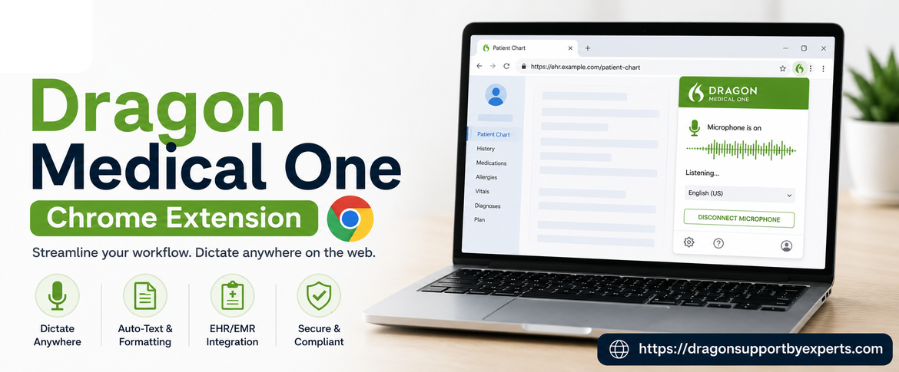
Managing patients and paperwork is more daunting than it seems. Well, even if it still exists as a major problem, healthcare professionals can never promise anything. So, to tackle this, the Dragon Medical One Chrome extension is something you can look for. It is a valuable tool that helps to have accurate and efficient documentation. By developing a connection between Dragon Medical One and Google Chrome, the extension lets users dictate directly into the supported web-based healthcare applications. This helps to maintain streamlined workflows, enhance productivity, and much more.
How To Add The Extension To Chrome?
Follow the steps below to install the Dragon extension in Chrome.
- First, click on “add to chrome” , confirm, and then refresh.
- Now to enable it, click on the “Menu icon” in Chrome>Settings>Extensions and look for “dragon(DMO,DMD,DPA,DLA) web extension.”
- If you are unable to find the extension, simply return to this page and click on “add to Chrome.”
- This extension should be updated automatically. If your organization has centralized the deployment of expressions, just contact your administrator.
| Please Note: Dragon medical network edition, dragon medical practice edition, dragon professional group/individual, dragon legal group/individual, dragon law enforcement, and dragon home are not compatible with the extension. |
New In version 24.3.1219.0
- When users create a new line or paragraph in the TinyMCE editor, extra blanks are no longer added automatically.
- Users can sign in to MEDITECH Expanse via Okta SSO multi-factor authentication in Google Chrome.
New In Version 23.2.897.0
- Upgrading TrakCare no longer interrupts dictation, allowing text to flow directly into the EHR.
- The voice commands ‘undo that’ and ‘redo that’ now work as expected.
In New Version 22.4.845.0
- Google is looking to upgrade its extension framework, which requires a Chrome extension to update its manifest version. This dragon (DMO, DMD, DPA, DLA) web extension version supports this upgrade.
- Users can now easily dictate into the Trackcare windows, which contain multiple CKEeditor fields on the same page.
Conclusion!
The Dragon Medical One Chrome extension is a reliable and valuable addition for all healthcare professionals who are looking to rely on voice-driven documentation. With this, users can directly dictate into compatible web-based electronic health record systems and healthcare applications via Google Chrome. It improves workflow efficiency, reliability, compatibility, and the overall user experience.