
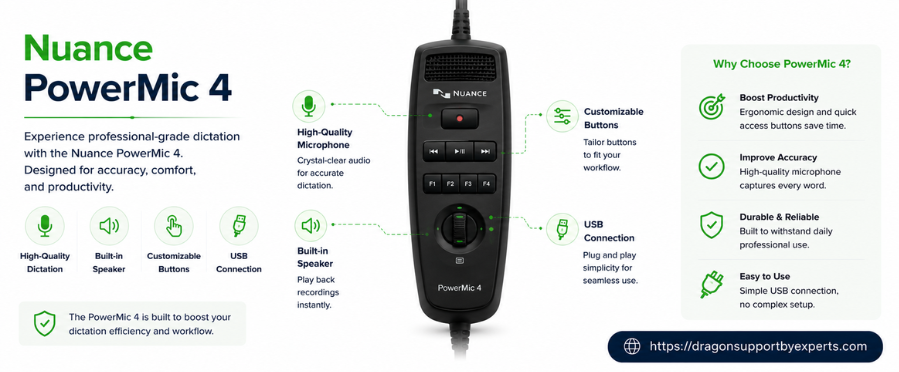
Nuance PowerMic 4 is one of the latest additions to Nuance’s PowerMic lineup, specifically designed to deliver improved durability, seamless integration with compatible dictation software, and enhanced speech recognition. It is built for demanding work environments and features programmable buttons, an ergonomic design, and high-quality noise-canceling microphones for accurate voice capture. With rubber feet for stability and optional mounting accessories, it provides enough flexibility in clinical and professional workspaces.
Cutting-edge Features And Advantages Of Nuance Powermic 4
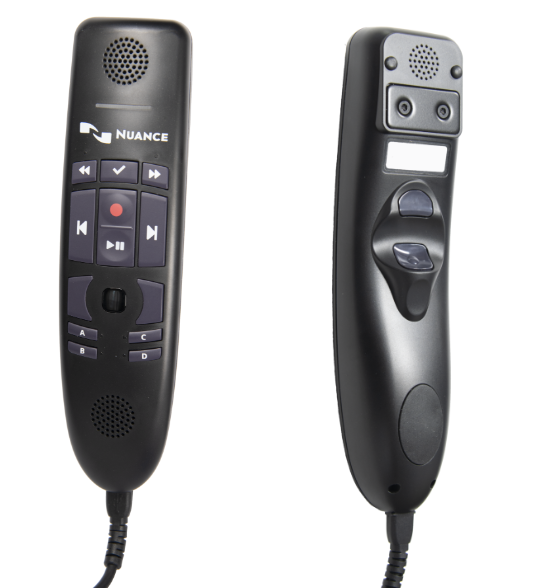
The Nuance Powermic 4 offers a number of advanced features that support simplified workflow, enhanced speech recognition accuracy, reliable performance, and more.
| Features | Advantages |
| High-quality audio input and output via upgraded microphone and speaker setup.
|
Enhanced audio quality improves speech recognition accuracy.
|
| Embedded high-pass filter for improved noise reduction and clearer voice capture.
|
Minimizes signal noise for delivering cleaner and clearer audio.
|
| Enlarged pointing device (30%) for better precision and easier navigation.
|
Provides mouse-like functionality for easier navigation.
|
| Dual additional programmable buttons for enhanced workflow efficiency.
|
Delivers greater customization options.
|
| Robust hard plastic button with smooth ergonomic casing.
|
Simplifies cleaning and sanitization.
|
| Rear metal mounting plate for added stability and flexible positioning. | Designed for versatile magnetic mounting options.
|
| Ergonomic design for comfortable and long term use.
|
Ergonomic design supporting prolonged use.
|
Minimum System Requirements For PowerMic 4
For optimal performance, PowerMic 4 requires a compatible operating system, a functional USB connection, supported Nuance software, and other requirements. Check the ones given below in detail.
- Dragon Medical One 2021.4 SR1 (except coherence mode).
- Dragon Professional Anywhere 2021.4 or later.
- SpeechKit SDK 2021.4, a.k.a Dragon Medical Embedded (for integrators).
- Powerscribe one.
- Dragon Pro individual/group/law enforcement legal.
Common Issues And Fixes With Nuance PowerMic 4
This section highlights frequent reports with Nuance PowerMic 4, along with simple troubleshooting steps to resolve them quickly.
Screensaver Is Unable To Activate In Standby
PowerMic (like SpeechMike devices) slightly shifts the mouse position during standby, preventing screen saver activation. It is expected during recording, not standby.
Fix: Disable the pixel shifting by holding the left mouse button and the touchpad for 5 seconds, until the LEDs flash and a chirp is heard. (firmware level setting; not remotely configurable)
Power Mic 4 Buttons Unable To Respond With Power Mic 3 Connected
Taking help of both the devices on the same system can cause button conflicts.
Fix: Disconnect Power Mic 3, as mixed use does not get support.
Button Issues In Virtual Environment (Citrix /VMaware)
Using mixed Power Mic versions across systems can lead to button functionality issues.
Fix: Update to dragon medical one/dragon professional anywhere 2021.4 SRI or later.
DMO Coherence Mode Not Supported
Simultaneous use of DMO in a local and virtual environment is not supported.
Fix: NA
Transitions Tips For Power Mic III To PowerMic 4
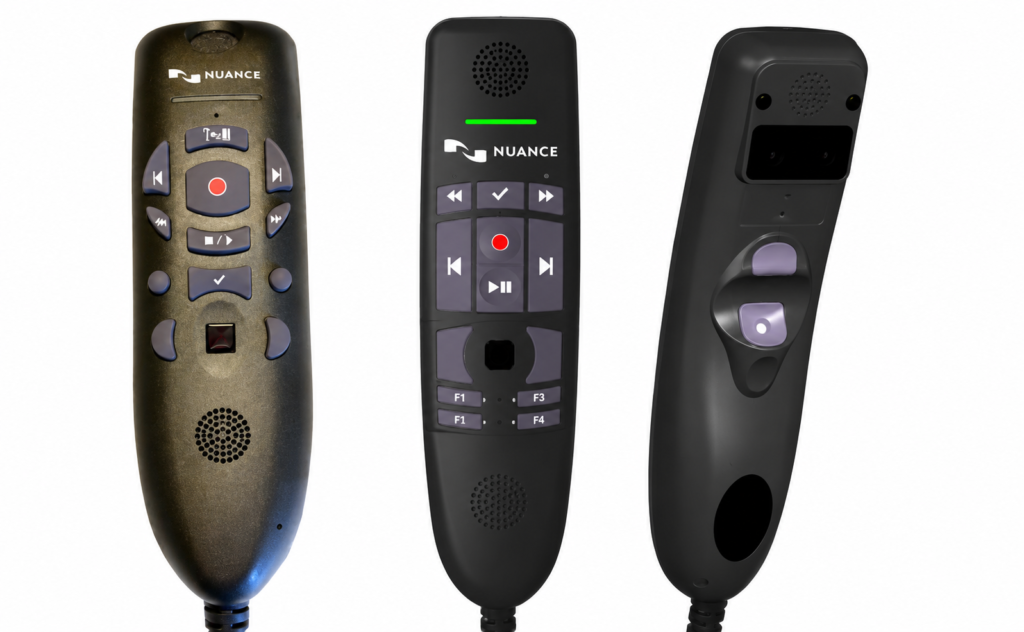
Shifting from powermic III to powermic 4? Review the below given key differences and update button functions to minimize the learning curve and start dictating with confidence.
| PM III | Power Mic 4 | Notes |
| Tab backwards, tab forward, rewind, fast forward, record, and enter/select (checkmark) | Mapped to a same buttons on PM III | Different layout but same function |
| Stop /Play | Play/Pause | Same button , slight name change |
| Transfer | Rear Function | PM 4 does not have a transfer button |
| Left Custom | B | PM 4 does not have a left custom button |
| Right Custom | D | PM 4 does not have a right custom button |
| A and C | New button for PM 4 |
Transition Tips For A Speechmike To A Powermic 4
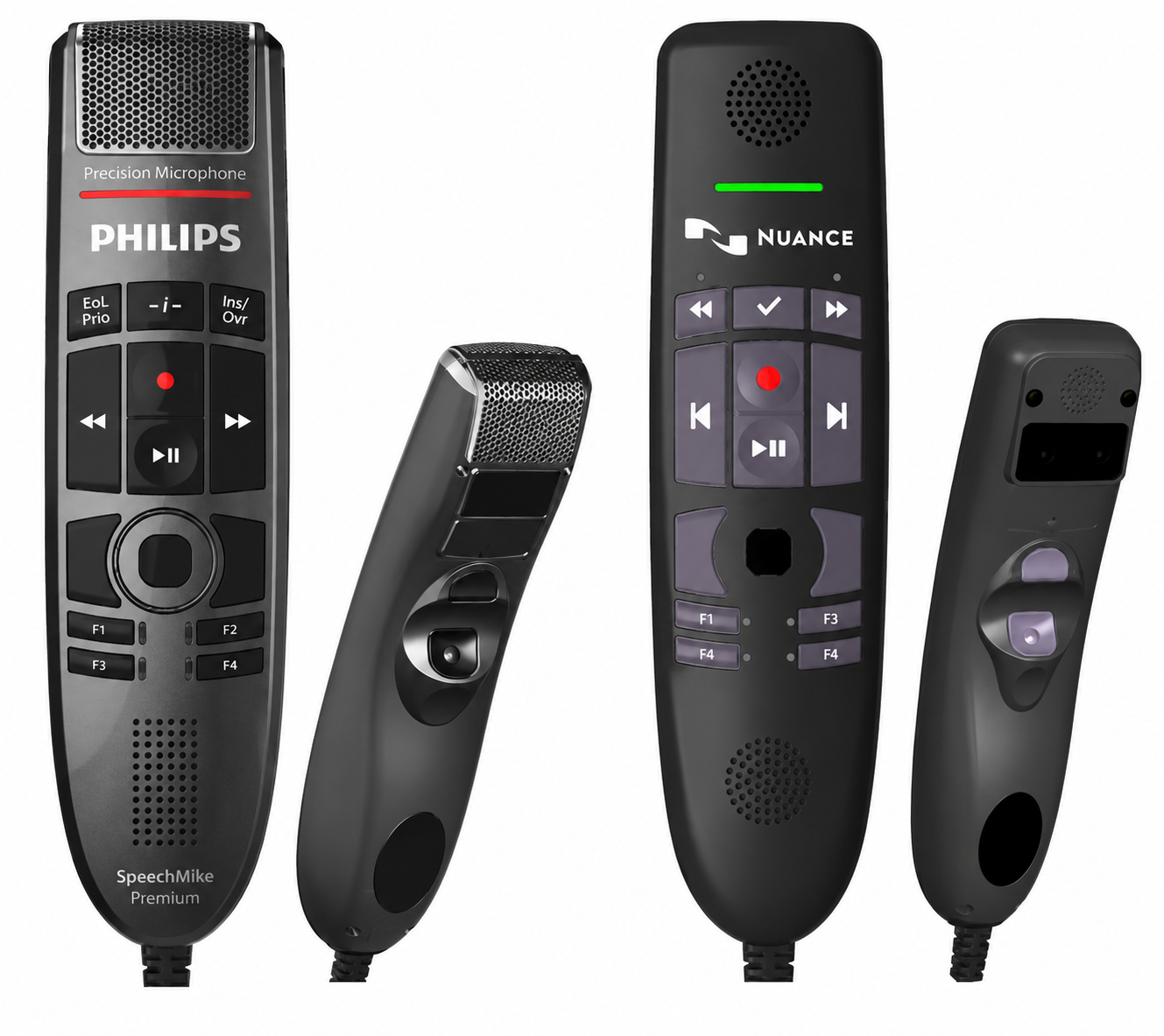
Take help of the comparison table below to locate the equivalent buttons, understand feature differences, and transition smoothly from a SpeechMike to a PowerMic 4.
| Speech mike | Power mic 4 | Notes |
| Rewind, fast forward, record and play pause | Mapped to same button on speech mike | Different layout but same functions |
| EOL | Rear function | PM 4 does not have an EOL button |
| Insert/overwrite | D | PM 4 does not have an insert button |
| F1 | Tab backward | PM 4 does not have F1 |
| F2 | Tab forward | PM 4 does not have F2 |
| F4 | B | PM 4 does not have F4 |
| Rear function | Enter/select (checkmark) | |
| F3 AND -i- | NA | Not supported by DMO |
Conclusion
With this reliable and powerful Nuance Powermic 4 dictation device, you can easily enhance recognition accuracy, deliver a comfortable user experience, improve work efficiency, and many more. By relying on the same, you can avail various advantages without compromising workflow. With a thorough understanding of features, common troubleshooting steps, and system requirements, you can ensure optimal performance and a smooth dictation experience.
FAQs
A. Yes, you can do so, but make sure your software aligns with requirements.
A. No, PowerMic 4 has a reinforced cable which should not be replaced.
A. The housing and buttons are made of antimicrobial synthetics which work against a wide range of different microorganisms including bacteria, fungi, viruses, or algae, but we cannot guarantee complete resistance to infectious materials. You can sanitize the PowerMic 4 with various products.
A. No, mouse buttons are managed by the operating system. (You can disable the mouse component in the Device Manager)
A. PowerMic 4 requires updated software to enable the programmable button. If the required software isn’t installed, only mouse functions will work.